DVLiveDisplays
DVLiveDisplays is a Windows application for generating Emerson
DeltaV Live graphic Displays from Excel definitions. Import GEM
Classes to prepare a definition workbook, complete it in Excel,
and generate a Display XML file for import into DeltaV Live.
Key Features
- Read GEM Class XML files from DeltaV Live export ZIP files.
- Prepare an Excel definition workbook using an embedded template.
- Add Linked GEM dropdowns and configuration-property columns to the Device Information sheet.
- Provide GEM-dependent Boolean and Selection dropdowns, numeric validation and shading for unavailable properties.
- Generate linked GEM instances with the property values supplied in Excel.
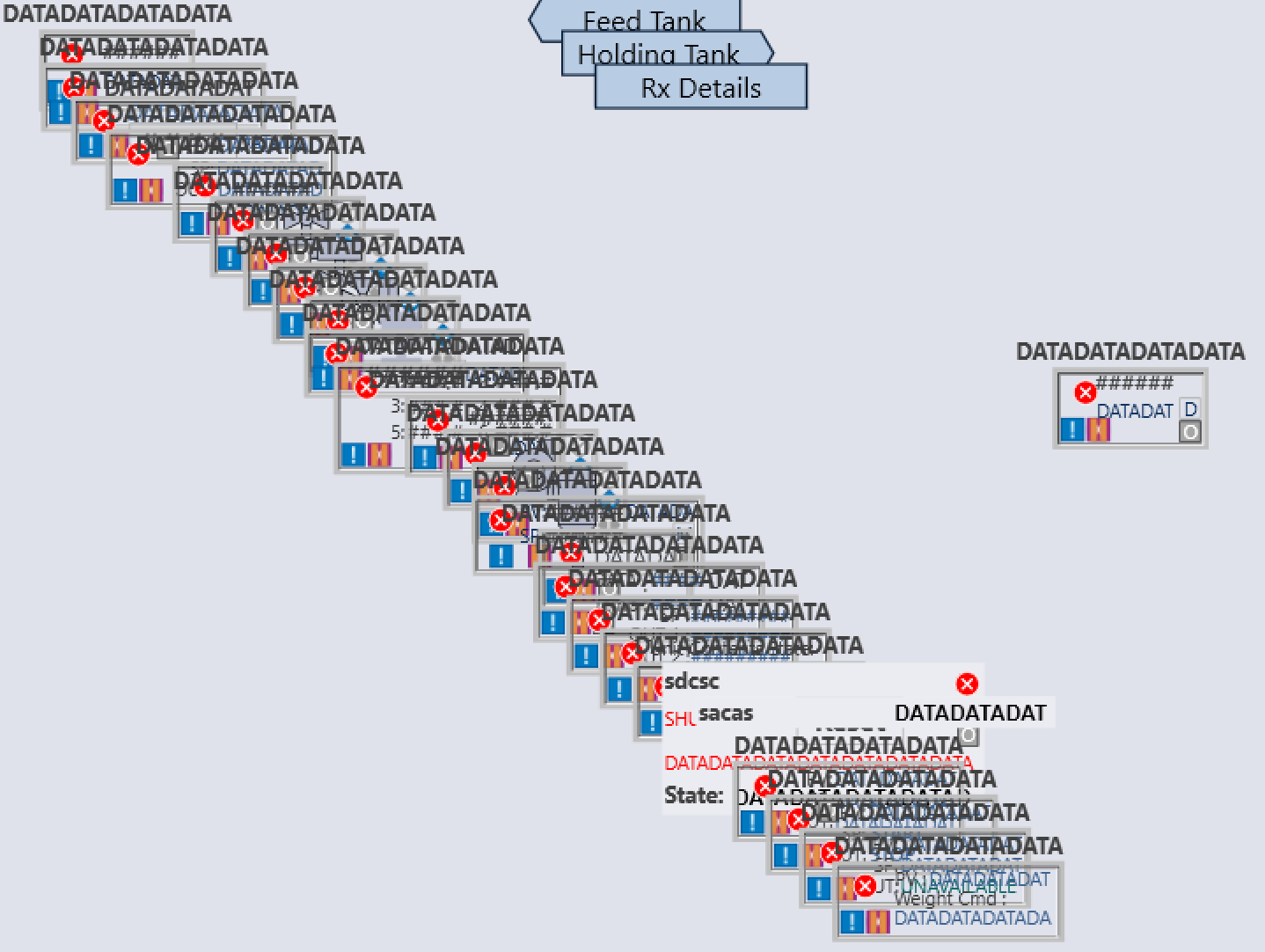
- Support device coordinates in centimeters, inches or points, with automatic placement when both coordinates are blank.
Automatic placement allows creation of draft displays without having to specify coordinates for every object, to be
completed in DeltaV Graphics Studio.
- Generate Left, Right and Rectangle navigation links to other Displays.
- Include EM information, Unit information and alarm lists.
- Generate formatted DeltaV Live Display XML files with the .di.ahc extension.
- Generate from completed workbooks without reloading the original GEM Class ZIP.
- Operate offline, including licence validation.
From Excel Definitions to DeltaV Live Displays
DVLiveDisplays separates display definition from graphic
generation. Engineers can specify device GEMs, module tags,
property values, navigation destinations and alarm filters
in Excel before generating the Display.
Importing GEM Classes updates only the Device Information
sheet. The exported workbook stores the property types and
Selection mappings needed for generation, so the completed
workbook can be used without the original GEM Class ZIP.
The generated Display uses the application's embedded Display
template for its styling, background and overall dimensions.
GEM instance dimensions are inherited from their GEM Classes.
Blank property cells are omitted from the XML, allowing the
GEM's defaults to apply. Explicit False and zero values are retained.
Definition Workbook
| General Info | Display name, path, title, description, coordinate units and layout alarm-filter settings. |
| Device Information | Linked GEMs, configuration-property values and optional X/Y coordinates. |
| Page Connections | Navigation labels, destination Displays, shapes and descriptions. |
| EM Information | The EM information GEM and up to 16 EM names. |
| Unit Information | The Unit information GEM, Unit tag and optional support-module tag. |
| Alarm Lists | Area, UM/EM or Module/Device filter groups, with up to five names per list. |
The workbook uses standard .xlsx files without macros.
Property values are entered manually. Selecting a Linked GEM
updates the available dropdown choices and greys out properties
that do not apply to that GEM. Blank cells do not automatically
fill with default values.
Using DVLiveDisplays
- On Input Definition, load a GEM Classes ZIP and select Save Definition Excel As.
- Complete the saved workbook in Excel, replacing or clearing unused template entries.
- On Display Generation, select Load Definition Excel and review the loaded device rows.
- Select Generate Display to save a .di.ahc file using the Display Name as the suggested filename.
- Import the file into DeltaV Live, then review and test the generated Display.
Devices without X/Y coordinates are placed at 0 mm, 0 mm,
then at 5 mm intervals in both directions. Page Connections
and Alarm Lists use separate placement sequences starting
at 8 cm, 0 cm and 16 cm, 0 cm respectively. The generated
elements can be arranged further in DeltaV Live.
Portable Windows Application
DVLiveDisplays does not require installation. Download the ZIP file,
extract all files to a folder of your choice and run
DVLiveDisplays.exe.
| Operating system |
Windows 10 or Windows 11, 64-bit |
| Installation |
None – portable application |
| .NET Runtime |
Included |
| DeltaV installation |
Not required |
| Internet connection |
Not required for normal operation or licence validation |
Licensing
DVLiveDisplays is commercially licensed on a per-user basis.
A standard licence is valid for one year and includes a
seven-day grace period following expiry.
| Annual licence |
€TBD per user |
| Licence period |
1 year |
| Machine binding |
None |
| Licence validation |
Offline |
Prices are inclusive of VAT where applicable.
A licence is assigned to an individual user but is not tied
to a specific computer. The licensed user may therefore use
DVLiveDisplays on multiple computers, subject to the applicable
licence terms.
A DVLiveDisplays licence is separate from licences for other Batch-A tools.
To purchase a licence or obtain further information, contact
info@batch-a.com
.
Engineering Responsibility
DVLiveDisplays generates files from exported GEM definitions
and completed Excel workbooks. It does not connect directly
to or modify a running DeltaV system. Importing the generated
file into DeltaV Live is a separate user action.
The target system must contain the referenced GEM Classes,
graphics resources, Displays and control tags. Review and test
generated Displays, property assignments, navigation links
and alarm filters before use. Compatibility depends on the
Display template, referenced libraries and target DeltaV Live version.
Independent Product
DVLiveDisplays is developed by Mavabé Technical Consultancy B.V.,
trading as Batch-A. It is an independent product and is not
affiliated with, endorsed by, or supported by Emerson Electric
Co. or its affiliates.
DeltaV and other product names are trademarks or registered
trademarks of their respective owners.